By Richie Lennon
QuickBooks Online is cloud accounting software for invoicing, expenses, bank reconciliation and financial reporting. The Irish edition also supports VAT preparation. It can suit an Irish business whose bookkeeping, reporting and integrations are properly set up, but the subscription does not do those jobs by itself. Choose the plan around the users, currencies, stock and reporting you need, then agree who keeps the records complete and checks the results.
A useful software review should tell you more than which buttons exist. The question is whether QuickBooks can support the way your business sells, buys and makes decisions.
We would start with the reporting you need and work back to the records. If invoices are missing or costs are posted to the wrong place, a polished dashboard can still give you the wrong answer.
What is QuickBooks Online?
QuickBooks Online, often shortened to QBO, is Intuit’s cloud accounting product. You access the company file through a browser or the mobile app, with access available for your accountant.
It is different from QuickBooks Desktop. Advice about a desktop edition, US payroll or a UK VAT workflow does not necessarily apply to an Irish QBO subscription.
Keep the edition and country clear when reading product reviews or buying an add-on. The feature you saw demonstrated may require a different plan or market.
What are its useful features?
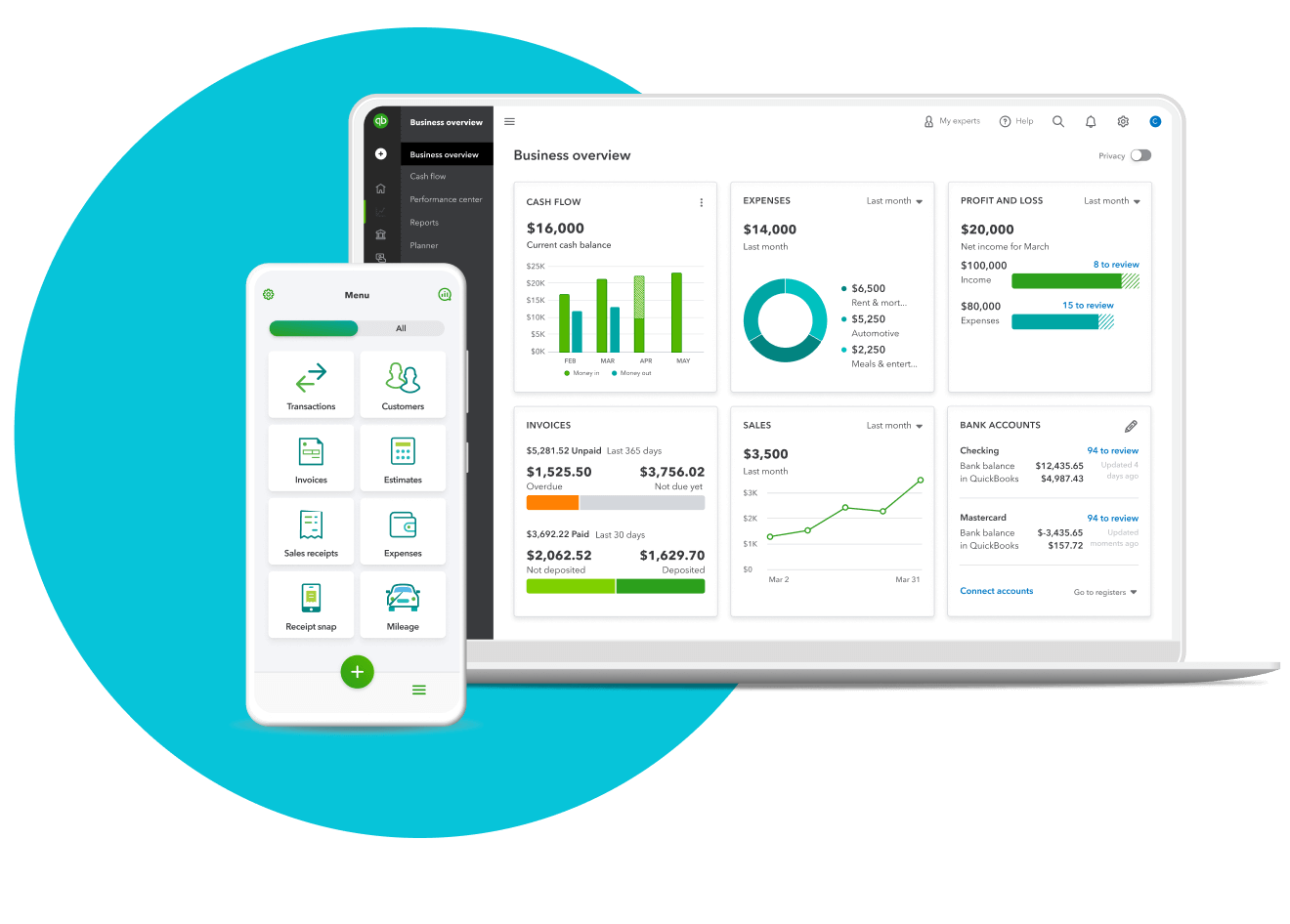
The main jobs include sales invoicing, purchase records, bank reconciliation and reports. The Irish plan comparison shows which features and user allowances belong to each subscription.
| Job | What to check in your business |
|---|---|
| Invoicing | Invoice detail, payment terms, credit notes and who approves reminders |
| Purchase records | How bills and receipts arrive, who reviews them and how unpaid bills are tracked |
| Bank feeds | Whether each required bank account connects and who reconciles it |
| Reporting | The profit and loss, balance sheet and debtor reports you need, with reconciled supporting records |
| Currencies | Whether the plan and integrations support the currencies you actually trade in |
| Stock and projects | Whether the native features cover your operation or a specialist system is needed |
Automating data entry helps when the underlying rules are right. It does not make a bank transaction proof of the correct VAT treatment or turn a missing purchase invoice into a complete accounting record.
Does QuickBooks work for Irish VAT?
The Irish product has a VAT workflow, including VAT codes, filing frequency and preparation of a return. Intuit’s Irish VAT setup guide explains the settings.
Preparing or marking a return as filed inside QBO is not, by itself, evidence that the return has been submitted to Revenue. Keep the ROS submission and payment steps clear and retain the confirmation. Intuit’s return and payment guidance distinguishes the software records from the tax payment.
The setup needs to match your approved VAT reporting basis and period. A software setting cannot grant permission to use a particular tax treatment.
Ask your accountant to check the actual transactions that matter: domestic sales, credit notes, EU purchases, services from abroad, imports and any cross-border sales. Use the applicable codes and reconcile the return to the records. A standard tax code is not a substitute for understanding the transaction.
QBO also has a Return of Trading Details report. Intuit warns that transactions using manually created tax rates are not included in that report. Check the mapping and completeness, and agree the separate Revenue submission. OSS and specialist import requirements need their own workflow.
Advantages for an Irish owner
Shared cloud access means the owner and accountant can work from the same records. You do not have to pass around competing copies of a spreadsheet to establish the current position.
It also makes it possible to build a regular bookkeeping routine: collect purchase documents, reconcile banks, review customer balances and produce reports from one ledger.
The value comes from how that routine is run. A report available today may still be incomplete if yesterday’s bills have not been entered or an integration has stopped syncing.
Reliable management accounts need someone to know which accounts are reconciled, which information is missing and when the monthly reports will be ready. “The software updates automatically” does not answer those questions.
Limitations to consider
QBO needs setup and ongoing review. The chart of accounts, opening balances, VAT settings, customer records and reporting categories influence everything that follows.
A growing business can also outgrow a simple process without necessarily outgrowing the ledger. Before changing software, identify whether the gap is in the product, an integration, missing inputs or the way the accounting work is organised.
For instance, if management cannot see margin by project, the problem may be inconsistent coding or missing time and cost data. Buying a more expensive subscription does not reconstruct those inputs.
Conversely, if the operation needs features the ledger does not adequately provide, forcing it into spreadsheets can create an expensive workaround. Document that requirement and test an appropriate system.
There is no basis for saying QuickBooks eliminates errors, guarantees stock availability or makes every migration easy.
Ecommerce: check the settlement, not just the connection
An ecommerce integration should explain gross sales, VAT, refunds, fees and the amount paid into the bank. The payout is not normally the sales figure.
For illustration, sales of €10,000 plus €2,300 VAT give €12,300 collected. After €300 of processor fees, €12,000 reaches the bank. Posting €12,000 as revenue would overstate revenue by €2,000 and fail to show the €300 fee separately.
The connector should bring in the right detail and leave a settlement that can be reconciled. Check refunds, chargebacks, currencies and store-specific VAT treatment rather than stopping at “it connects”.
A2X or Dext Commerce can be relevant to more complex setups. The choice depends on transaction volume, VAT complexity, stores and the channels supported by the specific integration. Verify the requirements with the vendor before committing.
Our ecommerce accounting stack guide covers the jobs across the ledger, connectors, stock and reporting. This review is about whether QBO fits its part of that stack.
Which QuickBooks plan should you choose?
The Irish pricing page currently lists Simple Start, Essentials, Plus and Advanced. The features step up across the plans. Multicurrency appears from Essentials, while Plus includes stock and project features; Advanced adds further reporting and control options.
Check the current Irish comparison before buying. Price, offers, allowances and features can change, and an introductory discount is not the ongoing cost.
Write down the requirements first: the people who need access, currencies, bills, stock, project reporting, permissions and integrations. Then check which plan covers them. Include add-ons, setup, migration and the accounting work in your total cost.
We would not choose a plan from a price alone or upgrade merely because the business has grown. Identify the extra job the upgrade needs to do.
Moving to QuickBooks
A migration needs an agreed cutover date and supported opening balances. Identify which historic records need to move and what can be retained in an accessible archive.
Reconcile the old bank, debtors, creditors, stock and tax balances before relying on the new ledger. Importing customer names or a chart of accounts does not establish that the opening balance sheet is right.
Test a full month before treating the work as finished: sales, purchases, settlements, VAT preparation and reports. Agree who fixes exceptions and when the old subscription can safely end.
QuickBooks versus Xero or another ledger
Compare the same business requirements across the products. Consider the Irish VAT workflow, integrations, reporting, accountant support and the cost of maintaining reliable inputs.
Xero’s Irish VAT offering has changed, so older statements that one product permanently lacks an Irish workflow should be checked before being repeated. Our accounting software comparison gives the broader decision context.
The strongest choice is the one your team can run properly. If your accountant cannot explain how the monthly numbers are produced and checked, a different logo is unlikely to solve the whole problem.
If you run a growing Irish business turning over €250,000 or more, a Finance Fit Call can establish whether Around Finance’s ongoing accounting service fits your needs. Agree any setup, migration or specialist integration work separately.
FAQs
Does QuickBooks Online work in Ireland?
Yes, there is an Irish offering. Use the appropriate edition and check the plan, VAT setup and integrations against your business’s requirements.
Does QuickBooks file my VAT return automatically?
Do not equate a return prepared or marked filed in the ledger with a confirmed ROS submission. Agree and verify the Revenue filing and payment workflow.
How much does QuickBooks cost in Ireland?
Check the current Irish pricing page, including the ongoing cost after an offer. Include add-ons, setup and bookkeeping rather than looking only at the subscription.
Can QuickBooks handle multiple currencies and stock?
Those features depend on the plan. Multicurrency and stock also need suitable setup and integrations; assess the specific requirements rather than assuming every subscription covers them.
Is QuickBooks suitable for ecommerce?
It can be the ledger in an ecommerce setup. Check settlement reconciliation, VAT detail, refunds, currencies and stock processes. A connected app is only useful if the accounting output is correct.
Is QuickBooks better than Xero?
The answer depends on the business, integrations and team delivering the accounting work. Compare current Irish features and the reporting you need rather than relying on an old product comparison.